

Slack and Discord are the most popular team communication apps. So it’s ok if you get torn between which one to pick.
We understand that for team collaboration to be smooth, you must have an efficient tool.
That’s why we’ve helped you compare Slack and Discord to make your life easier and help you finally settle this debate.
We explored their features, pricing, and every other important factor that will speed up your workflow.
By the end of this article, you’ll be able to make an informed decision as to which collaboration platform to go with.
Let’s jump right into it.
Slack – What does it do best?
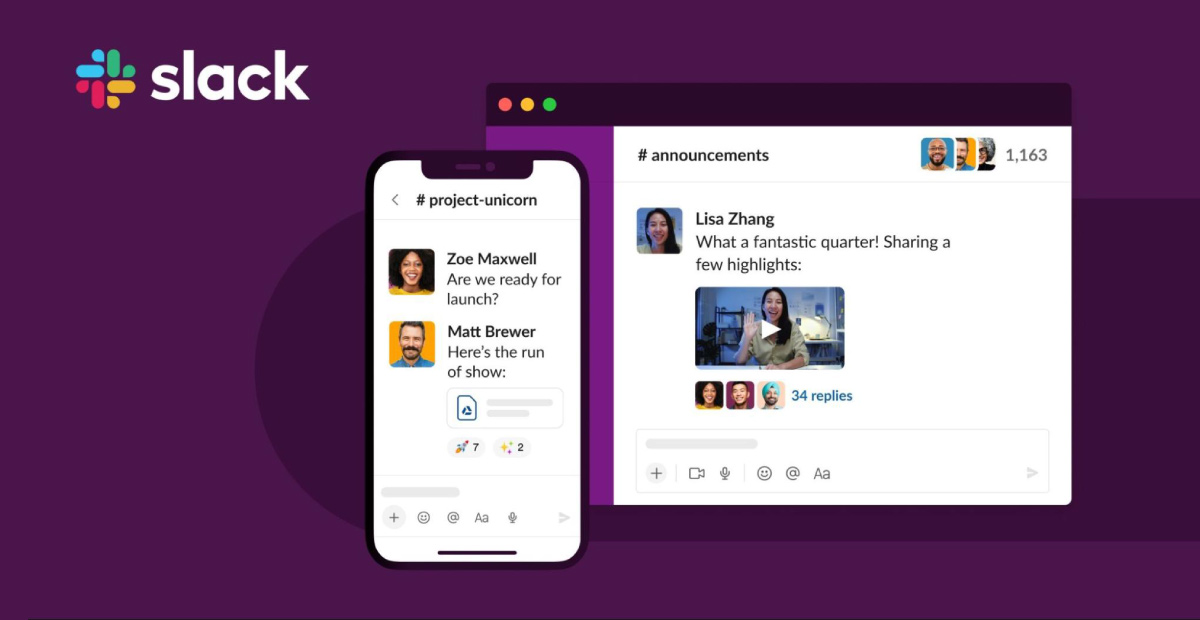
Slack is a tool for team interaction that offers multiple features. Various types of business teams use it.
Organisations can create workspaces and channels for different projects and teams.
With Slack, you can connect with your team in several ways. The ‘@’ mention feature in chats, audio and video calling, and integrations are among them.
But there are others as well.
Slack’s key features
The following are some of Slack’s most notable features:
- Instant chat
- Channels and threads
- User interface
- Video & voice calls
- File sharing and search
- Integrations
- Workflow Builder (automates repetitive tasks)
Slack’s benefits
With some classic features, Slack lets you show off your communication skills.
To help make decisions more effectively, let’s look at Slack’s benefits:
- You can integrate about 800 integrations with third-party applications.
- You can share up to 5GB files in the free version and 10 GB using the paid one. Discord lets you share files up to 8 MB and Max 50 MB.
- You can identify simple chat navigation on Slack followed by thread conversations for better understanding.
- Your chats are safe and secure. No one from public groups can join.
- You can avail of an affordable pricing plan
Discord — Is it only suitable for gamers?
There is no doubt that Discord is synonymous with gaming.
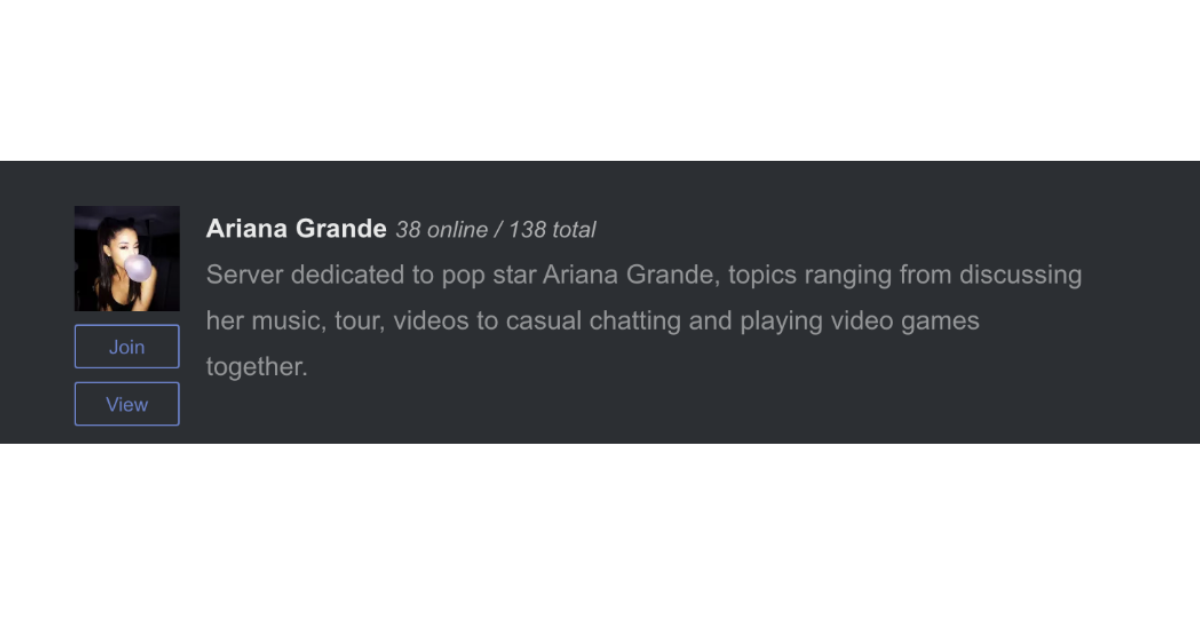
Discord even offers a website to find groups based on your interests by searching their Discord servers (teams). The majority of servers are gaming-related, but there are a variety of different communities as well.
Discord is more of a social network than an app for team chat, catering to Ariana Grande fans, Android app users, Girl Scouts, and others.
The question now is: Is it only suitable for gamers?
Undoubtedly, this platform was created with a different audience in mind than Slack.
The tool is still intuitive and handy, making it appealing for smaller businesses or teams working in less corporate settings.
Discord’s key features
Business users appreciate how easily Discord connects employees inside and outside the workplace. But what else does it have to offer?
Here are some other appealing features of Discord:
- You can avail most of Discord’s features for free. The paid plan is also available for premium features.
- You can create new collaborations beyond gaming with Discord’s API and encourage developers to use it.
- Discord’s great audio sync feature lets you collaborate with team members in real-time.
- Discord bots can share music, videos, polls, and even games with your coworkers.
- You can build your business’s online community using Discord’s large servers.
Now, let’s look at the complete comparison between Slack and Discord.
Slack vs Discord: How do they compare?
From here on, we’ll compare these well-known communication tools (Slack and Discord) to help you understand which one you want to consider for your business.
We’ll help you compare Slack vs Discord in terms of the following:
- Pricing
- Chat & conversations
- User Interface
- Ease of use
- Notifications
- Third-party integrations
- Privacy & Security
- Moderation & accountability
- Video & voice calling
- Cross-platform availability
- File sharing and storage
- Search
- Server management
- Online community building
- CPU usage
- User support
- Supported countries, languages and timezones
For even faster decision-making, we include critical takeaways under each section.
In case you are in a hurry or strapped for time, feel free to get an overview of the entire comparison with the table below:
Features | Platform name | |
| Slack | Discord | |
| Conversation threads | Yes | No |
| Primary feature | Text communication | Voice communication |
| Integration with other apps | Limit of 10 integrations in the Free plan800+ integrations in paid plans | Unlimited API integrations |
| Video conferencing | For no more than 2 users in the free plan For 15 users in paid plans | Up to 25 users |
| Screen sharing | Yes (in paid plans) | Yes |
| Interface colour options | 20+ theme options | Either light or dark theme |
| Storage limit | 5GB in the free plan, 10GB-20GB in paid plans | Unlimited |
| File upload limit | 1GB | The default online user limit is 5,000, but it can be raised |
| Limit for channel members | You may get a limitation system notification starting at 8.5K members | The default online user limit is 5,000, but it can get raised |
| Voice-only channels | Yes | Yes |
| Languages supported | 8 | 28 |
| Pricing | Starts at $7.22 | Starts at $4.99 |
Still want more details? Read on.
1. Pricing
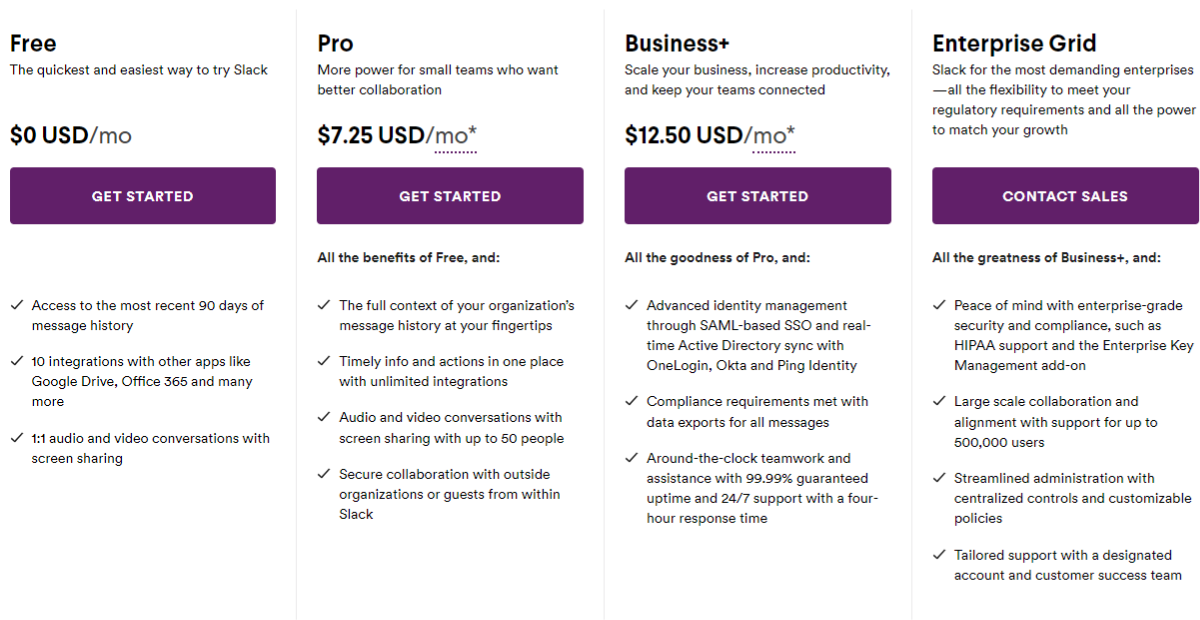
Discord and Slack offer freemium pricing plans with extra features for users to upgrade. Here’s a breakdown of their prices.
Slack’s Free plan only allows you to access the last 10,000 messages and 5GB of storage space.
A free plan is also limited to 1-on-1 video and voice calls.
With Slack, you can choose from 3 paid plans, starting at $8/month for one user.
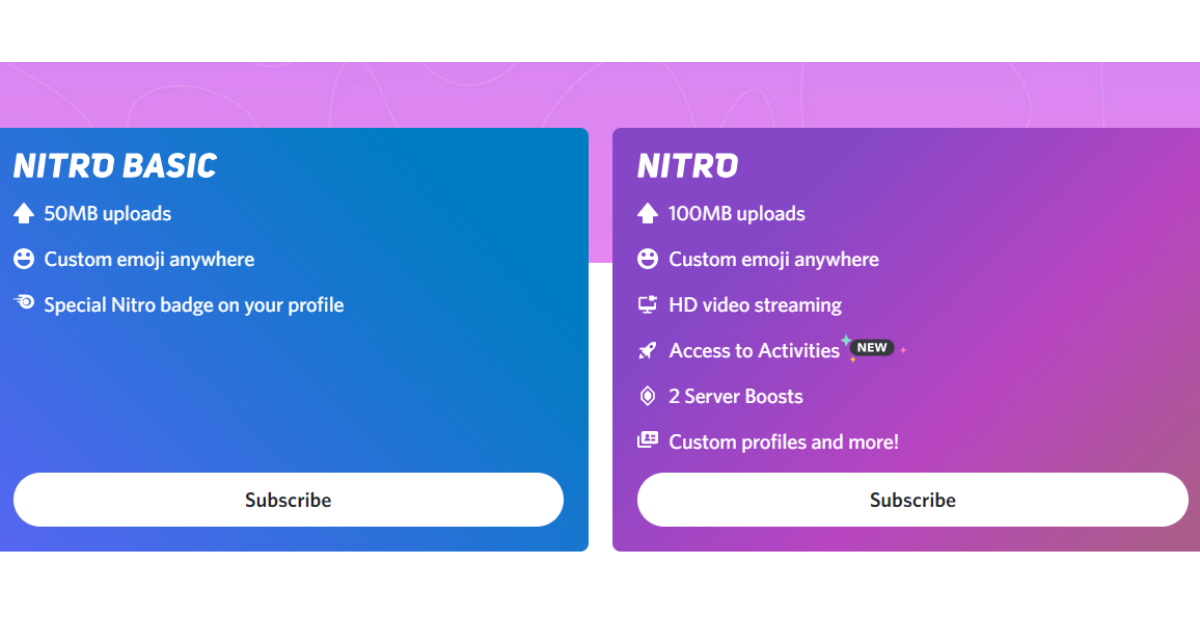
However, Discord’s free plan allows users unlimited access to their message history and storage. A video call can host 25 people, while a voice call can have any number of users.
Nitro and Nitro Classic are Discord’s paid plans, priced at $9.99 and $4.99, respectively. You get primarily cosmetic upgrades with either plan – animated avatars and emojis, profile badges, and better video quality.
Key takeaway
Discord wins when it comes to pricing and overall features.
2. Chat & conversations
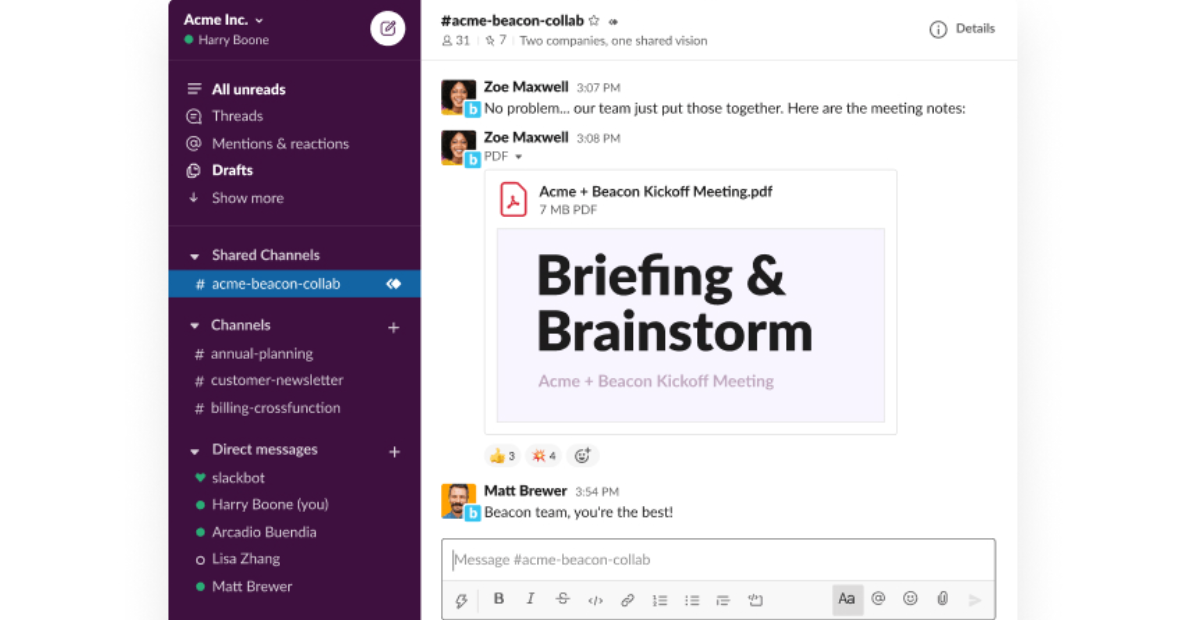
Regarding text messaging, both apps have direct and group messaging capabilities.
Channels in both apps can be private or public, and you can also categorise them.
Aside from that, Slack focuses more on organisation and is more feature-rich than Discord.
Here’s why:
- Slack lets you privately create posts and conversations for future reference (just DM yourself). Discord doesn’t have that feature.
- You can organise all your channels into Slack sections, which Discord does not offer.
- Mentions & Reactions in Slack allow you to see where a user mentioned you and pick up where you left off.
Key takeaway
Slack wins here if you are looking for more organised chat and conversations.
Look at the table below to see why:
| Chat and Conversation Feature | Slack | Discord |
|---|---|---|
| Chat history | 10,000 most recent messages using the free plan | Unlimited |
| Threads | Yes | Yes (but they expire) |
| Message formatting | Standard | Standard (not as straightforward) |
| Overall performance | ⭐⭐⭐⭐⭐ | ⭐⭐⭐ |
3. User interface
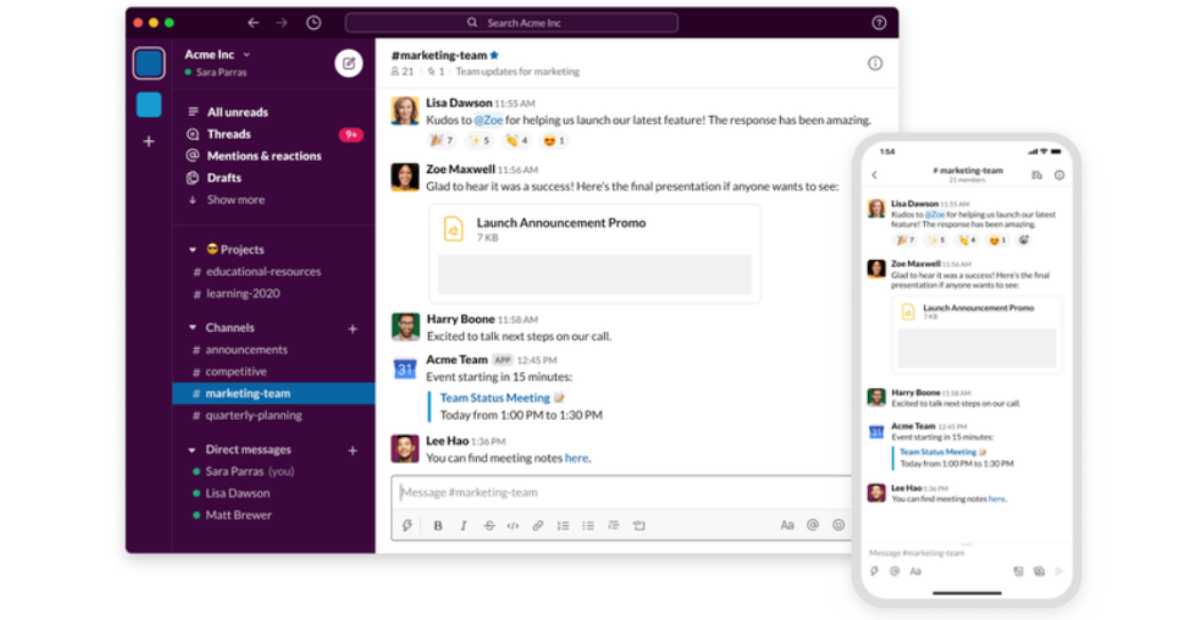
Due to their different target audiences – businesses and gamers – it’s hard to compare Slack’s and Discord’s interfaces.
Slack offers an intuitive and slick user interface. You will find all the channels and DMs on the left side of the screen.
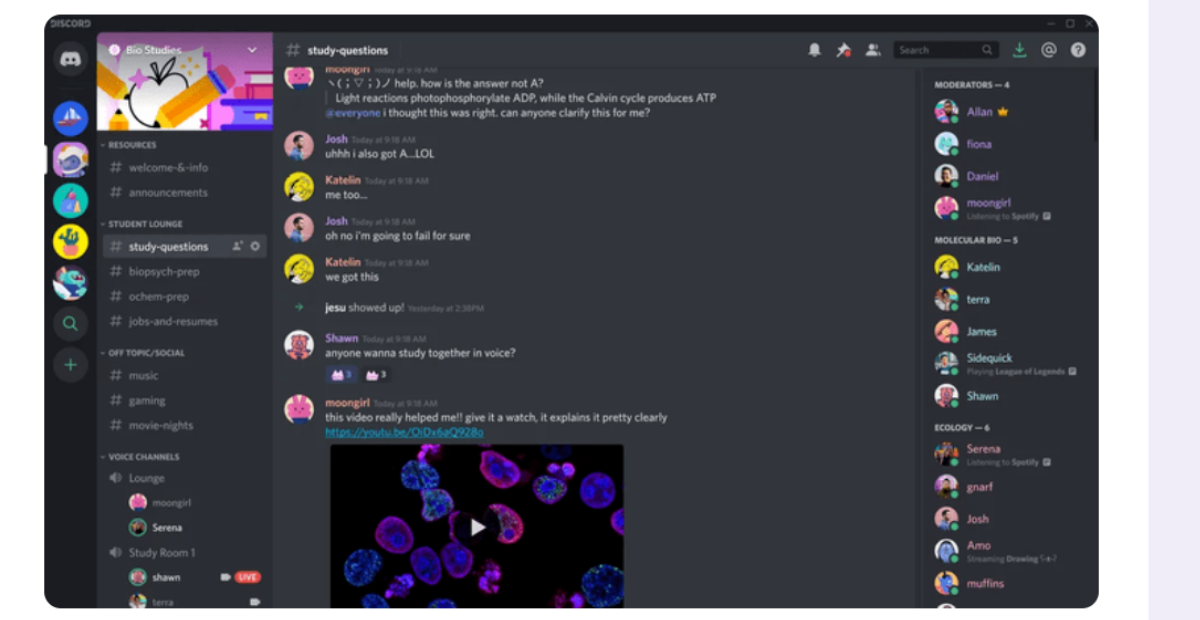
On the other hand, Interface-wise, Discord is more complex.
All Discord DMs get listed under a separate menu, independent of the server.
Consequently, your conversations will be a bit scattered, making it extremely difficult to navigate different workspaces.
Take a look at Discord’s interface:
Key takeaway
Both apps have their perks when it comes to their interfaces, but when it comes to business communication, Slack wins.
4. Ease of use
To determine which platform is easier to use, we looked at the following features:
- Joining the platform
- Messaging and communications
- File sharing.
Let’s break it down for you:
1. Joining the platform
Both Slack and Discord are relatively easy to join.
It takes users a few minutes to create an account on Discord, and then they can join servers and communities that interest them.
To use Slack, you’ll need to register using your email address. Once you’ve received an invitation, you can join the workspace. Or you can create your workspace and invite members.
2. Messaging and communications
Discord makes sending direct messages easier.
Slack’s direct messages appear below the text channels, but you can only send them to coworkers.
Discord allows users to send direct messages to anyone who knows their Discord username and tag, but that’s a drawback for workspace users.
You get simplified video and voice calls with Discord: click the voice chat channel you wish to join and start sharing the video.
Slack lets you join huddles or voice calls.
On Slack’s interface, you can find the huddle toggle at the bottom, and the call icon is at the top-right. Unlike voice calls, huddles are open to anyone who needs to attend.
3. File sharing
In Slack and Discord, sharing a file is as easy as clicking the plus icon below the text input field. Both Slack and Discord allow you to drag and drop files.
Key takeaway
Regarding ease of use, Discord dominates because you can join video and voice channels more easily and join communities without an invitation.
5. Notifications
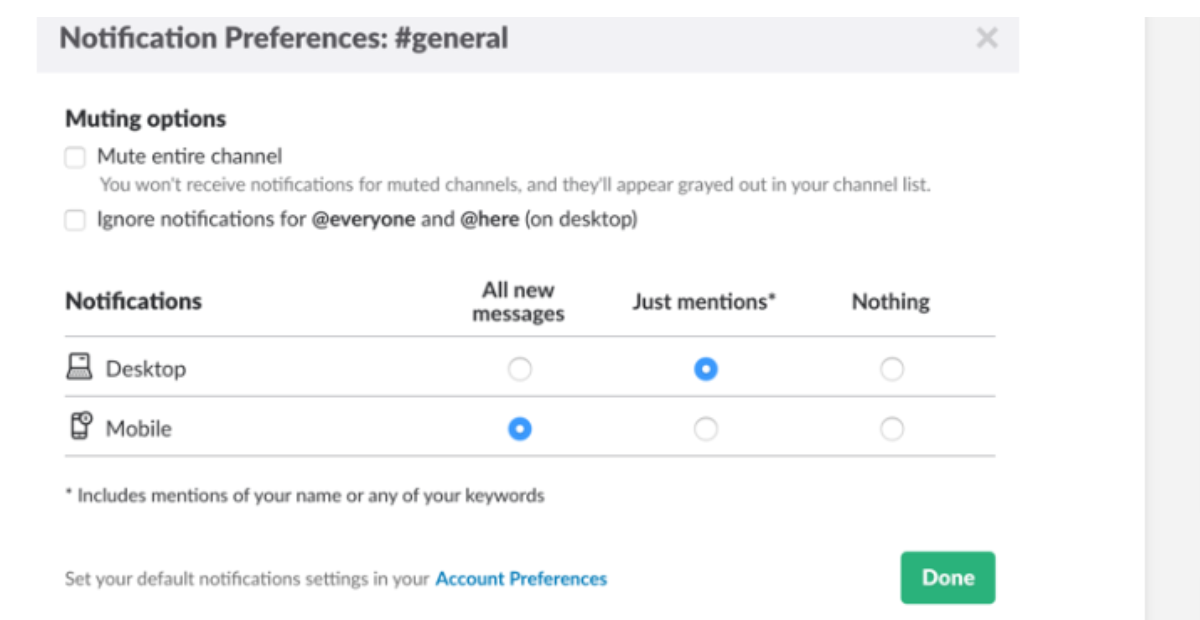
Notifications are a vital part of every chat tool. The ability to control your notifications is critical since you probably want to avoid receiving notifications every minute.
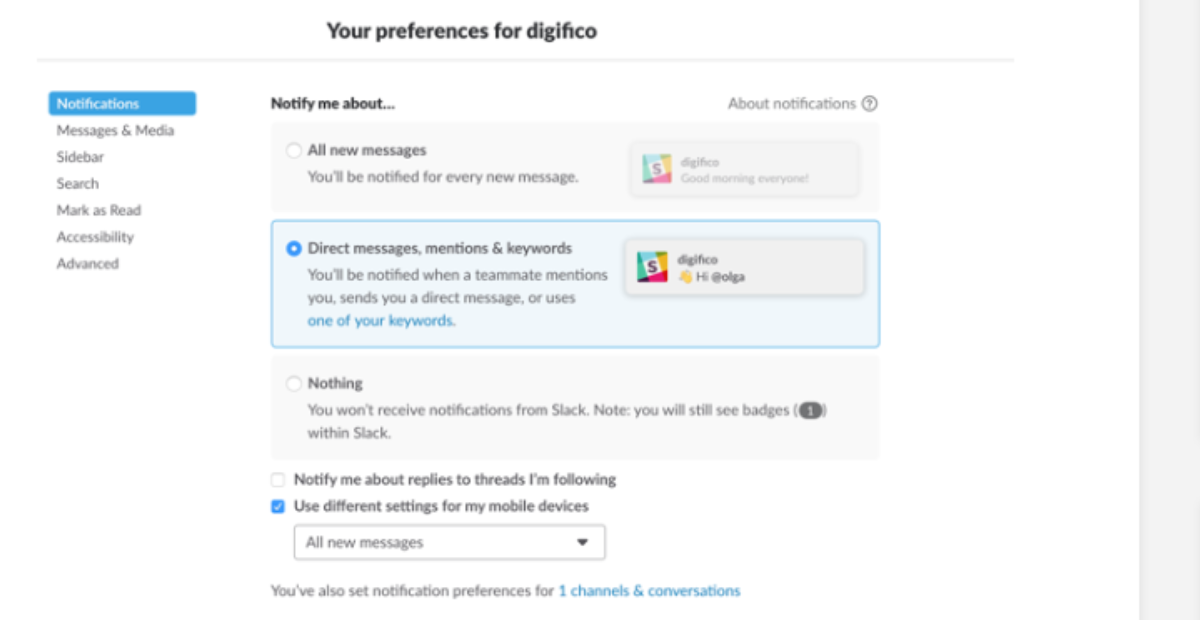
And Slack lets you control notifications. Look at how Slack allows you to control notifications.
Slack has a whole page dedicated to notifications. For example, you can set up keyword notifications so that you get a notification every time someone types a specific term.
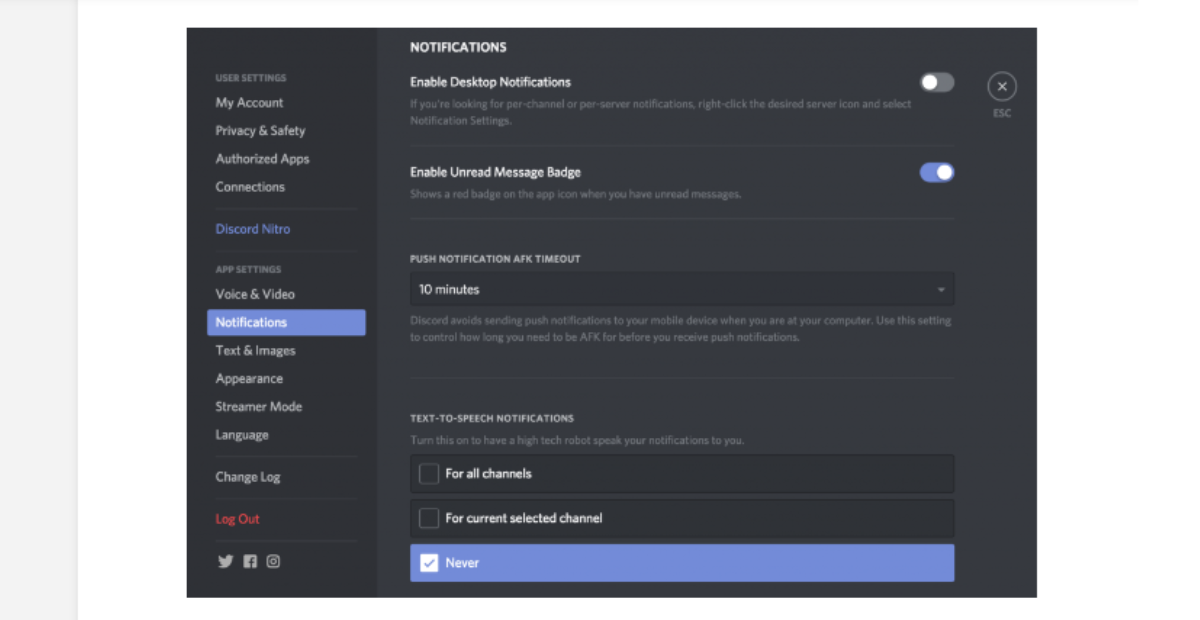
The notification settings in Discord are just as impressive. The robot can speak your notifications for you, which can be helpful if you play the game. But that feature isn’t useful for business communication.
You can set up notifications for each channel and server separately. You can also mute entire channels.
Key takeaway
Managing notifications is an essential aspect of business communication for remote workers. It is up to them how long they want to stay focused.
As a result, Slack wins this category.
6. Third-party integrations
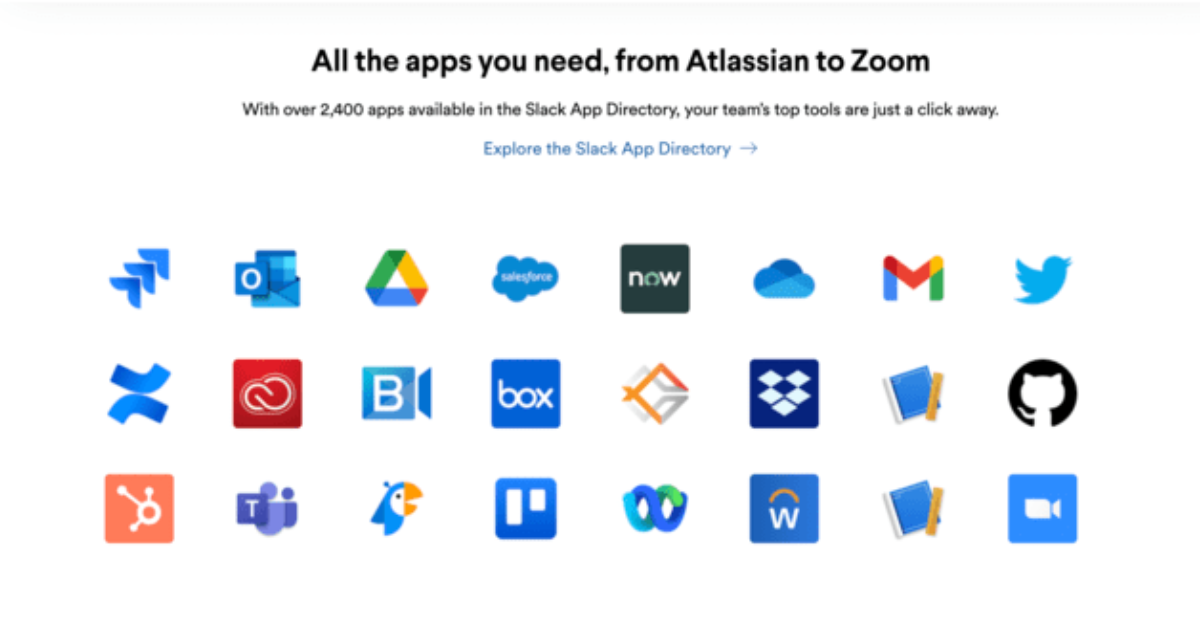
Slack integrates with over 2,400 applications, including many tools businesses use daily and department-specific apps.
However, the accessible version of Slack only lets you connect with 10 other apps.
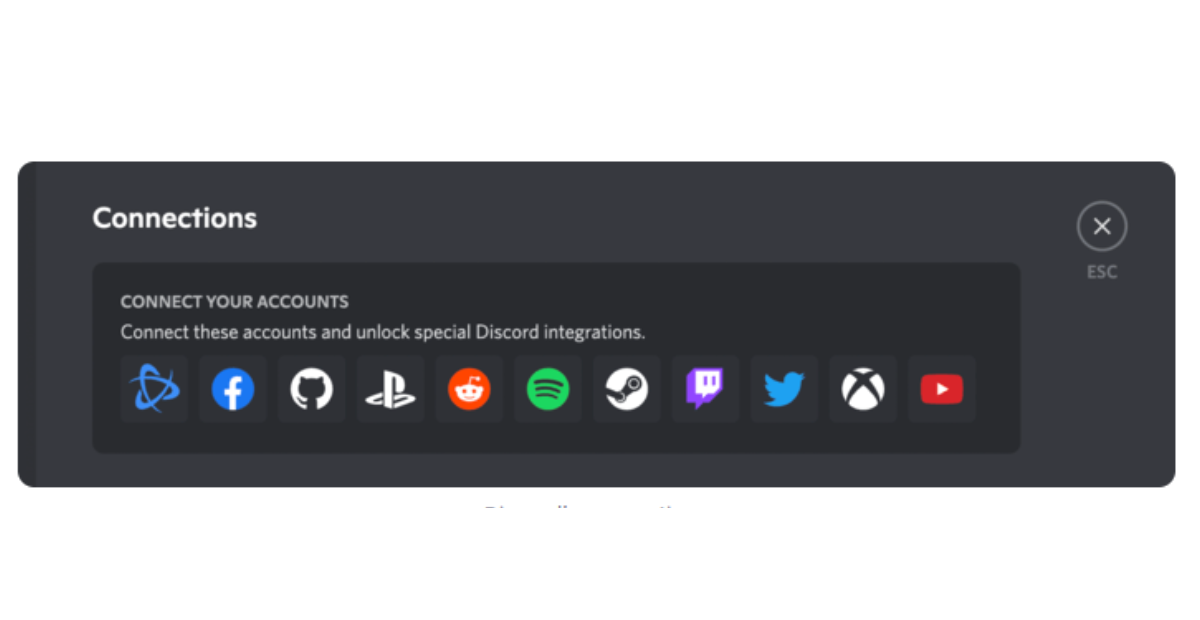
On the other hand, work-related apps don’t integrate with Discord.
Discord allows you to connect with other gaming platforms like Twitch and Steam and social networks like Facebook, Spotify, and YouTube.
Key takeaway
Regarding native integrations with popular SaaS apps, Slack wins here.
7. Privacy & security

It is more reliable to use Slack than Discord because Slack encrypts your data and uses standard security practices, such as single sign-on and two-factor authentication.
Slack is built for businesses that need tighter data security practices, whereas Discord is built for communities.
In addition to Workspace Admin Control, SOC2, SOC3, ISO/IEC, CSA, and APEC, Slack boasts a page full of security certifications and attestations.
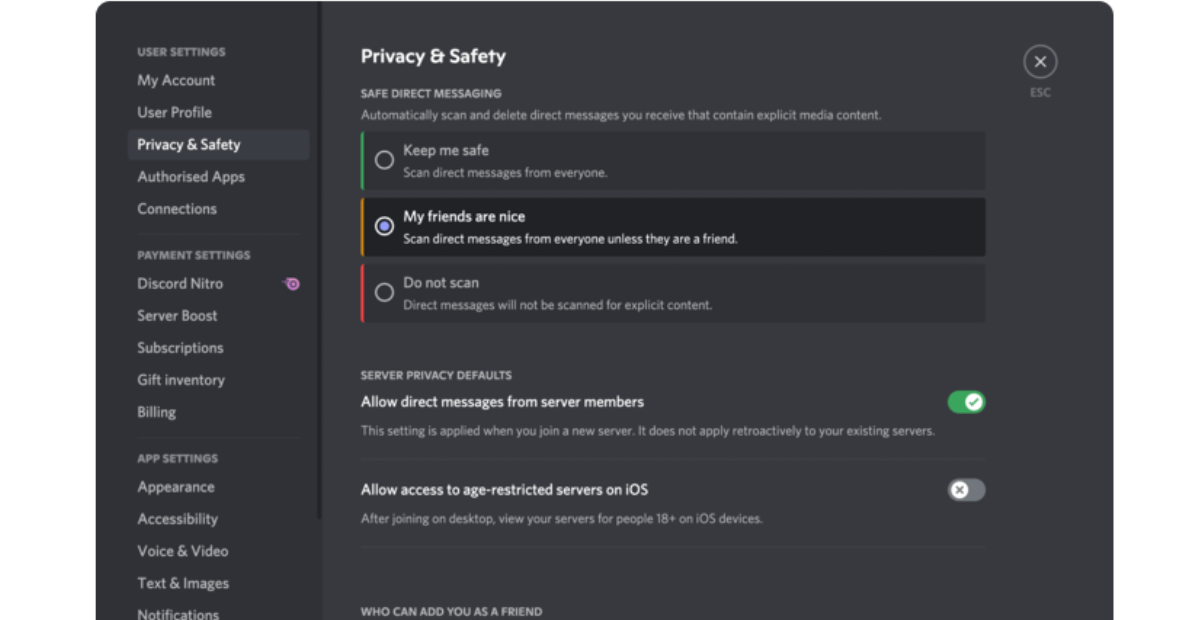
Discord caters to individual users, servers, and direct messages in various privacy and security settings.
Key takeaway
Your straightforward messages will be much less controlled if you use Discord for business.
It’s important to remember that direct messages are separate from servers and that you must rely on individual users to keep their privacy and safety in mind.
As a result, Slack wins this section as well.
8. Target audience
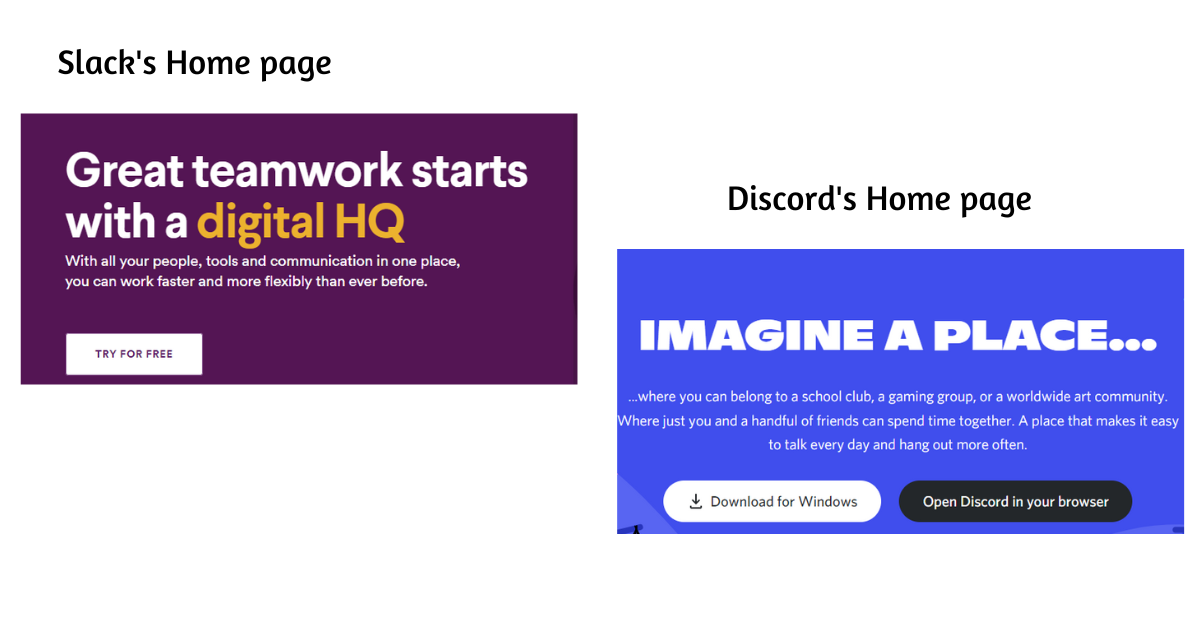
The core functionality of Discord and Slack is very similar. Both apps organise team communication into channels.
It’s their target audience and their specific features that distinguish the two.
Here’s how both tools present themselves:
The Slack platform mainly aims at businesses. Gaming was Discord’s initial focus.
Discord now has numerous business teams thanks to its recent updates and developments.
Small businesses and startups tend to choose Discord over Slack instead.
The Slack platform focuses on features that help businesses run efficiently, such as auditing, document management, identity management, and searching.
Discord is a chat and voice call application that offers high-speed performance.
Key takeaway
As a gaming platform where split seconds matter, Discord’s platform is ideal for real-time communication and information; this feature is also helpful for business communication.
So, both Slack and Discord win this section.
9. Moderation & accountability
Although both apps offer moderation features, Slack takes it further. The primary reason is that the app has a more professional focus.
Slack workspace managers and moderators can view private chats, filter words, and control all discourse.
Due to its focus on employers, Slack is designed so each company owns their workspace.
Discord, on the other hand, is only loosely moderated. While moderators are still present, they’re more like the ones on a Facebook page or a subreddit on Reddit.
Discord administrators and moderators can ban users for hate speech and bullying, but they don’t have complete control over it.
Key takeaway
Regarding Moderation and Accountability, Slack is a better choice for businesses than Discord.
Slack is a hit for business communication, while Discord is better for building online communities.
10. Video and voice calling
Slack is better for text-based communication, but Discord reigns supreme in voice and video chat.
With Slack’s Free plan, you can only make 1-on-1 voice and video calls, but with paid plans, you can simultaneously make calls with up to fifteen people.
With Discord, you get video and voice communication at the highest level, a must-have feature for gamers.
With Discord, you can join thousands of voice calls and up to 25 video calls at once – for free. With paid plans and Server Boosts, you can improve your video and audio quality, which is already better than Slack.
Key takeaway
Discord dominates Slack with higher audio and video communication quality and more participants per call.
11. Cross-platform availability
Slack’s wide use as a team collaboration application has made a mark on Windows, Google Chrome, Mac OS, Linux (beta), Android, iOS, and Windows Phone(beta).
This desktop application is heavier than Discord and more powerful.
Discord is compatible with Windows, Mac OS, Android, iOS, and Linux. You can just use the web application if you don’t want to install it.
Key takeaway
Both the chat applications Slack and Discord are enabled cross-platform. They are available for Windows, macOS, Web, Android, and iOS. Discord has its presence for Linux too.
Therefore, both Discord and Slack rank equally in this section.
12. File sharing and storage

Slack allows you to share files up to 1GB, but its Free plan is minimal regarding storage.
You only save up to 5GB of the most recent files. Paid plans offer more storage per user (10GB for Pro and 20GB for Business+).
With Discord, you can access all of your previous attachments without any limits. But you can only send files up to 8MB.
When you buy Nitro, you can upload files of up to 100MB. That’s considerably smaller than Slack’s maximum file size.
Key takeaway
Both Slack and Discord could use some improvement in this area.
So, no one wins here; however, you can use the table below to decide which app will meet your team’s needs.
| File sharing and storage | Slack | Discord |
|---|---|---|
| File storage | Free: 5GB per workspace Pro: 10GB per member Business+: 20GB per member Enterprise: 1TB per member | Unlimited |
| Largest file upload size | 1GB | Free: 8MBNitro: 100MB |
| Overall performance | ⭐⭐⭐⭐⭐ | ⭐⭐⭐⭐⭐ |
13. Search

Slack has various search options to help you find what you want. If you’re on a free plan, you can only search within the last 10,000 messages and lose all others.
Messages, people, channels, and files you can search them all. If you need help remembering the names of the files sent, you can even search for specific content within them.
Although Discord’s search function is also okay, it can’t compete with Slack’s elaborate filters.
However, Discord does have an advantage in this round, as you can search your entire message history, regardless of your pricing plan.
Key takeaway
In this section, Slack and Discord are somewhat similar except for search file content, which makes Slack the winner.
14. Server management
With Discord’s server management system, it’s easy to keep track of your friends. With just a click, you can shift between servers.
However, Slack cannot track friend lists and their activities or the ability to choose which server you wish to use.
Key takeaway
This comparison between Slack and Discord shows that Discord wins.
15. Online community building

Despite Discord’s origin as a gaming service (and its gaming aesthetics), most people interact with it as part of an online community.
Due to its simplicity, internet users found Discord an excellent tool for creating internet-based groups. You must create an account and a Discord server to get started.
Discord users can join your group by sharing a link to that server.
Clubs, fandoms, communities, meetups, and more can link on a blog, subreddit, Facebook page, forum, or YouTube bio and start chatting immediately.
Specifically, Slack isn’t designed to work like this. This is not surprising due to Slack’s built-in employer focus. It’s meant for people who want to avoid random people joining, not to encourage it.
Key takeaway
A platform like Discord will serve you better if you want to build an online community.
16. CPU usage
According to users who have used both applications, Slack is more CPU-intensive than Discord.
Slack uses about 9.5 MB for every 60 web requests, while Discord uses about 5.6 MB. Discord’s desktop application is much lighter than Slack’s.
Key takeaway
Discord triumphs over this section as its CPU usage is much lighter than Slack.
17. User support

Extensive help centres on Slack and Discord allow your team to find many answers without contacting support.
You can join community forums and use website forms to contact them on both websites. With Slack’s paid plans, you can get even more support.
The Slack Pro plan gives you priority support. You get 24/7 support with a 99.9% uptime guarantee with Business+ and a dedicated success team with an Enterprise plan.
Discord users don’t get any extra support, even with paid plans.
Key takeaway
Slack is the winner because Discord’s Nitro plans lack extra support options.
18. Supported countries, languages and time zones
Over 150 countries use Slack, making it a popular choice among multinational teams. Currently, Slack is available in 11 languages.
Here are the languages you can choose from with Slack:
- Chinese
- English (UK and US)
- German
- French
- Italian
- Japanese
- Korean
- Portuguese
- Spanish (Spain or Latin America)
Aside from this, you can customise the app to suit over 60 different time zones. Your time zone will also be automatically updated if you enable location settings in Slack.
Teams that work globally also prefer Discord. A total of 28 languages are currently available in the app.
Here are the languages you can choose from with Discord:
- English (UK and US)
- Bulgarian
- Chinese
- Croatian
- Czech
- Danish
- Dutch
- Finnish
- French
- German
- Greek
- Hindi
- Hungarian
- Italian
- Japanese
- Korean
- Lithuanian
- Norwegian
- Polish
- Portuguese
- Romanian
- Russian
- Spanish
- Swedish
- Thai
- Turkish
- Ukrainian
- Vietnamese
Discord does not have an inbuilt time zone setting, unlike Slack.
Key takeaway
Despite Slack’s multilingual customer support, Discord offers more languages. Discord may be a better option if you have a multilingual team.
Now that we’ve compared Slack and Discord extensively, let’s look at the final verdict.
Slack vs Discord: What’s the verdict?
Check out the table below to see who wins – Slack or Discord?
| Slack is better at text chatting, especially for work 📱 Slack has better integrations (but you can work around that) [please insert integration icon when you design image] Companies have more control over Slack [insert control icon/graphic] Slack’s free version is limited. [add related icon] | Discord does audio and video better 🔊 Discord doesn’t integrate with any work-related apps. Discord shares similarities with a public website like Reddit. [insert related icon] Discord’s features are free. [add related icon] |
Final verdict: Slack
Slack is a better option for your business with more control over online workspaces – this doesn’t mean Discord is a lousy alternative.
Discord offers the functionality you can’t get with Slack’s free version, but Slack’s paid plans offer a more intuitive interface and better customisation options.
You must, however, keep in mind that there are countless other apps available you can choose for your business.
Slack vs Discord – What is lacking in both?
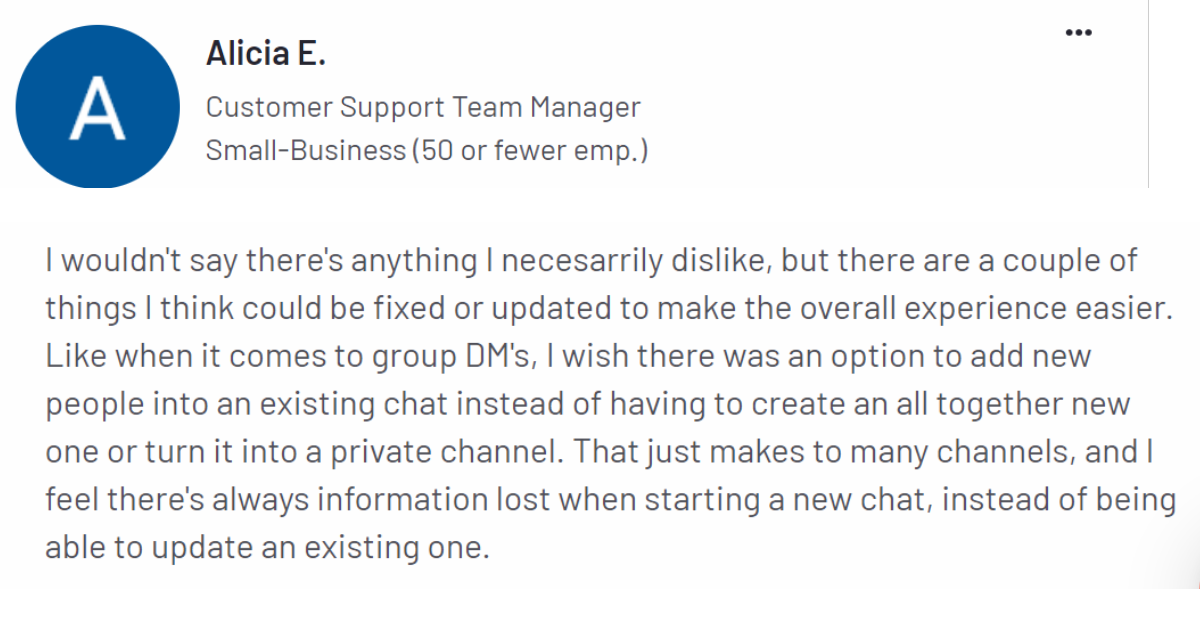
It is important to note that Slack and Discord have features catering to particular businesses’ communication needs.
However, one thing that needs to be improved in both apps is their ease of use.
Many Slack users have one common complaint about Slack, its inability to provide easy-to-use features and navigation.
Users of Discord complained about the same thing.
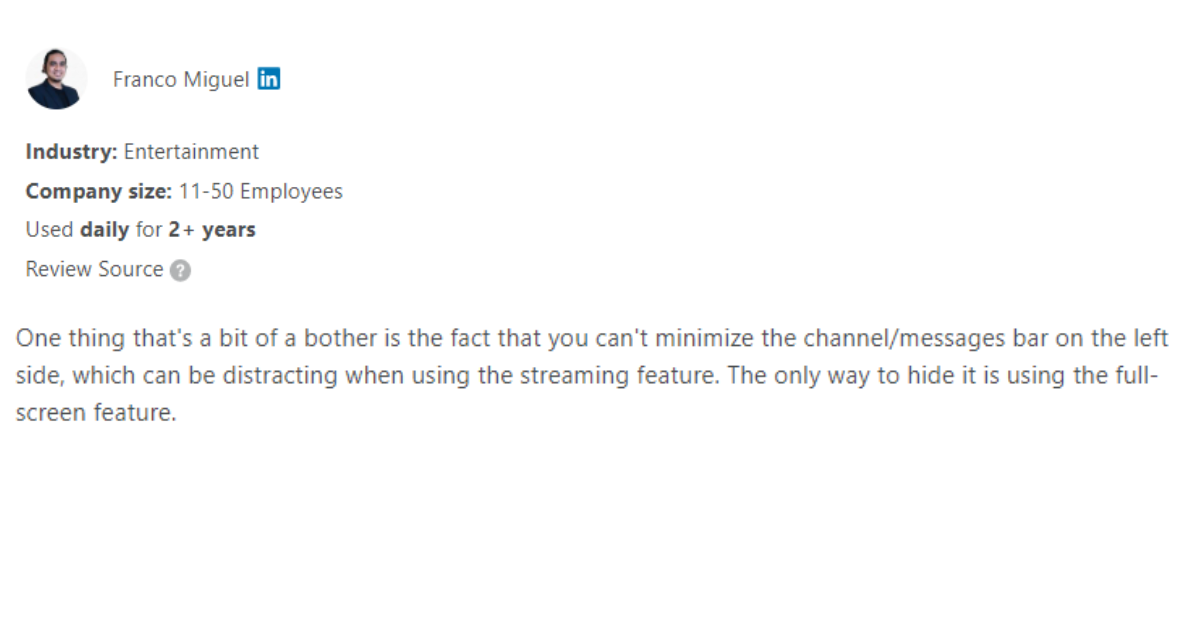
Now, how do you fill that gap?
It is best to choose a platform that facilitates communication and collaboration well, with features that are simple to use and easy to navigate.
Talk Magnet: The answer to all your team’s needs
You may find it hard to choose between Slack and Discord for your team’s communication.
That’s because they both have complicated features.
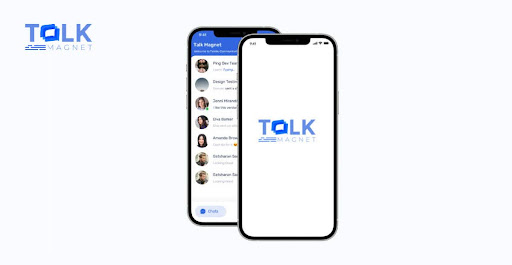
Let us introduce Talk Magnet to you.
With Talk Magnet, you can manage all your remote tasks in one place. The productivity and engagement of your employees will skyrocket if you use them for your business.
Unlike Slack and Discord, Talk Magnet features are easy to use. The platform makes it easy to find any file or information you need.
Still have doubts?
Take a look at these features of Talk Magnet:
- Ease of use
- Affordable and less expensive than Slack and Discord
- More scalability
- Lightweight app size
- Smoother Integrations with other apps
- Talk Magnet handles and retrieves information a lot easier
- Makes information handling and retrieval a lot easier
Now, let’s look at how and why Talk Magnet is better than Slack and Discord:
- Slack has poor video conferencing capabilities (low video quality and few participants)
- Discord has a complex file structuring system
- Discord works well for the gaming community
- Slack messages are hard to follow
- Old Slack messages are not available
Having learned more about Talk Magnet’s features, we know you’re curious to know how to get started.
How to get started with Talk Magnet?
The tools you use will influence the quality of your organisation.
Slack and Discord have considerable gaps that could affect your team’s productivity.
It wouldn’t make sense for your organisation to have less productivity because of a hard-to-learn collaboration tool.
So, snatch the opportunity and start with Talk Magnet to boost employee productivity.
Book a demo today and get started with Talk Magnet for free.


