

Are you looking for the best team communication app for your small business on a tight budget?
Well, we have some good news for you.
You don’t need to pay to avail great features of a good team chat app. You can get it for free!
In this blog, we will share our list of the seven best free team communication apps. We shortlisted the apps based on their features, what makes them a suitable choice, and who can use them.
You need to do only one thing now. Read through this blog and decide which one meets all your needs. So, let’s dive in.
What makes a free team communication app a good choice?

Almost every team communication application out there offers a free plan. But what makes a free communication app stand out from others are the features included in its free plan.
The following reasons make a free team communication app the best and a good choice for a large or small business:
1. Best features for team collaboration
Most team collaboration apps offer a paid version with more features. But there are free team communication apps that provide all the best features you’ll need for team collaboration.
2. All business communication stays in one place
Communicating with your team members shouldn’t require you to switch between multiple apps. Going back and forth between apps wastes your time and energy, which you can put to better use elsewhere. Free instant messaging apps let you chat, audio or video call, share files, and keep all information compiled on a single platform.
3. Increased productivity
Don’t waste time figuring out where and how to instantly catch up with your teammates. Instant messaging apps save your time by simplifying the work process.
The best free team communication app in 2023
We will dive deep into each free best team communication app to discuss its features. But let’s first get an overview of each app:
| Communication apps | Starting price | Key features (free plans) |
| Talk Magnet | Free for life | 1:1 audio and video calls Group audio and video calls File sharing Dedicated support User friendly Integrations Unlimited message history Cloud or on-premise Communication analytics Security Scalability |
| Slack | Free or $6.67 per user, per month, billed annually | Unlimited message archive Group video calls Unlimited apps and integrations |
| Microsoft Teams | Free or $2 per user per month, billed annually | Screen sharing Customised backgrounds Noise suppression |
| Google Chat | Free or $6 per user per month, or billed annually | Search conversation Video conferencing Integration with other Google apps such as Google docs, Google drive, Sheets, and Slides |
| Flock | Free or $4.50 per user per month, billed annually | Public and private channels Unlimited polls File storage |
| Discord | Free or $9.99 per month or billed annually | Quality audio File sharing Screen sharing Unlimited message history Server storage |
| Twist | Free or $5 per user per month or billed annually | Teams and groups Teams channels Threads and messages Notifications Mobile access |
You now know what essential features some of the best free chat apps offer. Let’s discuss each free team chat app and its features in more detail now.
1. Talk Magnet
Add a screenshot of the app.
Talk Magnet is a team chat application for smooth and productive team communication. It makes collaboration enjoyable for your team.
The best thing about Talk Magnet is it’s free for life with no limits to access all its features. You can use all the features on Talk Magnet for free, which most other apps offer only in their paid plans.
Despite being rich in features, Talk Magnet requires no steep learning curve. You don’t need to worry about your team getting the hang of the app as it is easy to use.
This free and secure communication app will resolve all your team communication issues. Talk Magnet also organises all your business and team communication in one place.
Talk Magnet lets you limit access to anyone anytime and not worry about privacy issues.
Features
- Easy-to-use: Talk Magnet is easy to use, which makes collaboration super easy for your team.
- Communication analytics: Get more reports and analytics than other free team communication apps or email. Using this method, you and your team can figure out when to have conversations.
- Scalability: Talk Magnet’s 99.9% uptime track record ensures the app won’t crash or lag as the user base increases. Your team communication on the app only gets better as your business grows.
- Easy file sharing: Talk Magnet lets you send files or media to your team on chat as attachments. Besides audio and video files, Talk Magnet also supports other types of documents.
- Lightweight and fast: Talk Magnet is a lightweight app and fast on all platforms. Your team members always stay in the loop whether they use Talk Magnet on mobile or desktop. This improves and encourages collaboration within the team.
- Security: You get the option to choose the cloud or on-premise option. Talk Magnet is highly secure, regardless of whichever option you choose. This is why it is one of the best team communication apps.
- Audio & video conferencing: Launch team meetings with one-click conferencing from Talk Magnet’s chat window. The clear audio and enhanced video provide you with the best user experience.
- 24/7 support: From day one, Talk Magnet provides you with a dedicated account manager regardless of your subscription tier. Dedicated team support is also available 24/7.
Platforms: It is available on Windows, Mac, Android, and iOS
Best for Remote or hybrid teams of small, medium, and enterprise-scale businesses.
2. Slack
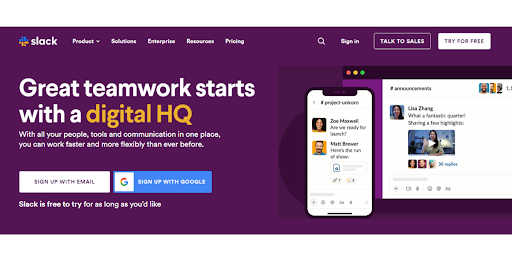
Slack has been a popular team communication tool since its launch in 2013. With Slack’s free version, you get the basic instant messaging feature (IM), search for conversations, upload files and share them with team members individually or directly.
Slack’s free version also offers the group video call with screen sharing features, but that’s limited to only two people.
Features in the free version
- Organise conversations into dedicated spaces/groups, also called Channels.
- Slack supports drag-and-drop of PDFs, images, videos, and other file types.
- You can make 1:1 voice or video calls with a single click.
Major setbacks
- You only get access to search the last 10,000 messages. Once you reach the limit, the messages get archived.
- There is no option to integrate custom and third-party apps in the free version.
- The push notification and real-time messaging feature can distract employees from their work.
Platforms: You can use Slack on Windows, Android, Linux (Beta), and iOS
Best for: Remote teams, tech-savvy employees, and small to large businesses.
3. Microsoft Teams
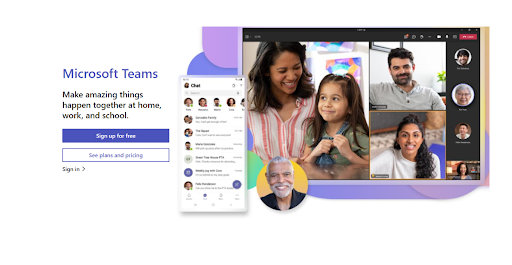
Microsoft Teams is another cloud-based team collaboration platform that lets you share files, PDFs, videos, images, and any document type.
You can collaborate with your teammates via audio or video conferencing on Teams. You can also access Excel and PowerPoint with Teams.
Microsoft Teams offers unlimited chat and search history with 300 users for free. You get the full edition with Office 365 Business Essentials.
Features in the free version:
- Dedicated spaces in the form of unlimited channels to organise conversations. You can search for conversations and messages as well.
- You can integrate Teams with OneDrive and Office 365.
- The free version of Microsoft Teams allows access to 300 team members.
Major setbacks:
- Users cannot schedule video and audio calls in advance in the free version.
- The free version doesn’t include the built-in meeting recording feature.
- Users cannot collaborate in real time with Teams colleagues using desktop Office apps. They can only use web apps, which means they have to use the browser to collaborate and can’t directly use the desktop Office app.
Platforms: It is available on Windows, Mac, iOS, Android, and Linux.
Best for: Remote teams and small businesses
4. Google Chat
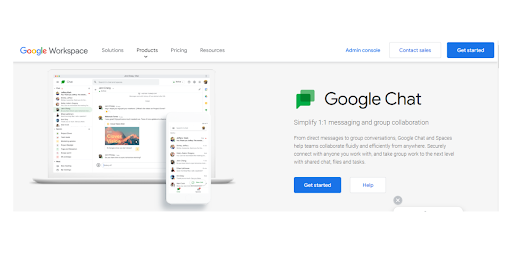
With Google Chat, you can start threaded conversations, keep things organised, and search for old messages and files. You can add groups as many times as your company wishes and users can easily join and leave them at any time.
You can also virtually meet your team members with Google Chat. You can also record video calls for future reference.
Features
- Users can collaborate in dedicated spaces and share knowledge and ideas with the team.
- Users can start video conferencing with Google Meet integrated into Google Chat.
- Deep integration with other Google apps such as Google Drive, Docs, Sheets, and Slides.
Major setbacks
- Poor video conferencing quality.
- You cannot make video and voice calls directly with Google Chat and can also make the calls via Google Meet. This disrupts smooth communication and collaboration as you go back and forth between apps.
- Google Chat cannot be accessed via a standalone app. It is accessible via Gmail on web and mobile devices. This defeats the purpose of using a chat app. Additionally, you will also need a Gmail account to use Google Chat.
.
Platforms: Google Chat is available on Android, iOS, and World Wide Web.
Best for: Small remote teams that don’t require extraordinary features to communicate and collaborate.
5. Flock
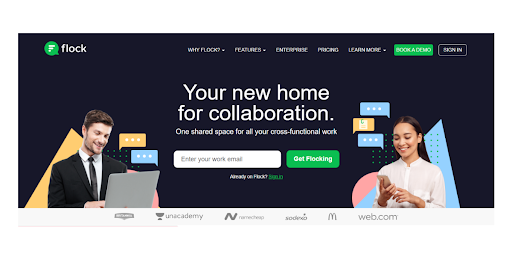
With Flock, you get access to messaging features and manage your projects. Flock organises all your conversations in one place and provides voice calling, one-on-one video calling, calendar, reminders, and notifications.
Features
- Organise important conversations through focused channels.
- Conduct video conference calls with the team.
- Files sharing through drag and drop.
- Access the company directory.
- Get 60+ third-party integrations
Major setbacks
- The free version does not support group video calls. You can only have 1:1 video calls with your team members.
- Users say that Flock is not easy to use. It is crucial that the best team communication app is easy to use so that your team doesn’t spend hours learning how to use it.
- Users can only access and search for the last 10,000 messages. This makes it difficult for users to save and access messages for future reference.
Platforms: Flock is available on Desktop, Web, and Mobile (iOS and Android)
Best for: Medium to large enterprises
6. Discord
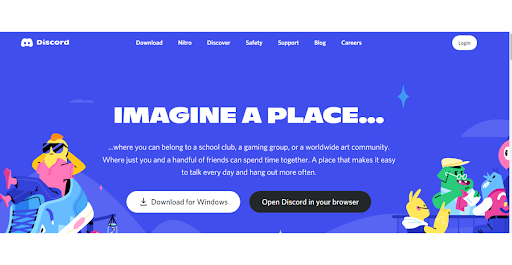
Discord is a gaming and gaming industry-oriented app that connects users with communities via voice, video, and text chat, using Discord servers.
It allows developers to communicate with their customers and grow communities around video games. But the app is also used for business communication.
Features
- Exceptional voice quality as its primary target audience was the gaming industry.
- Users can share any files such as images, GIFs, PDFs, etc.
- Discord also allows you to share screens for better collaboration.
Major setbacks
- Unlike other communication apps, Discord usernames consist of a string of numbers.
- Conversations get messy and off-topic due to a lack of threads.
- Discord’s terms of services give it the authority to delete your account and data anytime.
- There is a steep learning curve associated with Discord’s user interface. It will take time for your team to learn how to use Discord.
Platforms: Available on Windows, Mac, Android, iOS, and Linux
Best for: Gaming community or small teams
7. Twist
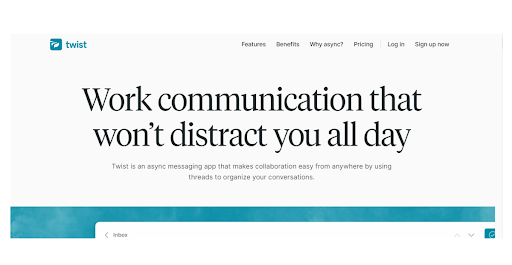
With Twist, you can view team conversations threaded in dedicated channels. Threads, channels, inbox, and messages on Twist keep everyone in the loop without the pressure of real-time engagement.
Features
- Users can create groups and teams to which you can add unlimited project members.
- Send group messages for more focused discussions.
- Users can integrate Twist with other project management apps.
- Custom notification settings give you control over the notifications.
Major setbacks
- Simple controls on Twist such as notification settings are difficult to manage for some users.
- Information can get delayed due to Twist’s async feature. As a result, team members may lose touch with each other.
- Due to Twist’s lack of refinement, finding specific words or messages can get difficult.
Platforms: Twist is available on Android and iOS.
Best for: Small to large businesses
Make the right choice to level up your team communication
So there you go. That was our list of the seven best free team communication apps.
After a good look at these apps’ unique features and drawbacks, you must now be ready to choose the best communication app for your team.
Remember to pick a free instant messaging app that meets all your requirements so you can truly harness the benefits of team collaboration.
Our recommendation and top pick is Talk Magnet.
With Talk Magnet’s free plan, you get extraordinary features such as high-quality one-click video/audio meetings, enhanced security, file sharing, and one-on-one and group chats. Despite being rich in features, the app is incredibly easy to use.
All these features make Talk Magnet the best free team communication app suitable for your small business.
Get started now with Talk Magnet for free and see your team’s productivity improve.
Interested in learning more about the product? Schedule a demo now and experience the wonders of Talk Magnet today.


