
With dispersed teams and remote work becoming increasingly common, the need for seamless and reliable communication tools has never been greater.
However, you may face the challenge of choosing the most effective platform for your company-wide communication.
There was once a time when Skype ruled video conferencing. Now, there are a lot more video conferencing apps that flood the market.
Through user experiences, feature analysis and pricing, we’ll uncover insights demonstrating which platforms excel in fostering effective communication across your teams.
In this comparison of Skype vs Talk Magnet, let’s discover which best suits your business.
Get ready. Let’s dive right in.
What is the difference between Skype and Skype for business?
Skype and Skype for Business are both VoIP (Voice Over Internet Protocol) applications that allow you to make and receive voice and video calls online.
They are Microsoft products and are available as free and enterprise options.
The common question is, “What’s the difference between Skype and Skype for Business?” It comes down to three big things: when you use each, whom you can talk to, and what features are available.
Here are the key differences:
- Video conferencing: Regular Skype provides free audio/video conferencing for 25 users. In contrast, Skype for Business offers chat, IM, and video conferencing services between groups of up to 250 people simultaneously. You can also broadcast a meeting to 10,000 participants via Skype Meeting Broadcast.

- PSTN conferencing: Skype for Business offers PSTN conferencing as an add-on feature. It allows users to join meetings from dial-in numbers instead of the app interface—making it perfect for businesses or employees needing a phone. The free version of Skype has the PSTN calling but only supports small groups in a conference call thread rather than large-scale meetings.
- Advanced call management system: Skype for Business offers an advanced call management system called Skype Cloud PBX, which can operate entirely through the cloud or as a hybrid solution alongside physical communications such as landline phones. It uses multiple integration options. It could be a company’s regular landline phone system or Skype’s PSTN calling services to manage phone calls. However, this feature is unavailable in the free Skype version.
Pricing
The standard version of Skype is free to download, but users must pay for calls made through the PSTN system. Skype for Business is offered through several subscription plans, each with unique add-ons.
However, the cheapest plans may lack some of the features in more advanced versions, like full integration with Microsoft Office 365 and its applications.
Skype has been a significant player in business communication for years, but it no longer satisfies the needs of most users.
Today, however, many other business communications platforms, like Microsoft’s product—Microsoft Teams—have replaced it by providing more features and better user experiences.
So Skype doesn’t work well for large organisations.
Specify your communication needs first
When looking for a new communication tool, you want to ensure it meets your company’s needs. You need to consider how it will fit into your business and how it can help you achieve your goals.
Before deciding, below are some questions you should answer:
- Why do you need a communication platform for your business?
- How will you use the tool? What kind of information do you want to share?
- Consider the audience—who will be using the tool? Are they all employees or your business partners, or maybe your customers?
- Is there enough room on the app or website for everyone who needs access?
- What information do they need access to? How can the tool appeal to them?
- Are you a big or a small organisation?
- Are they affordable? What does your budget look like?
- What are their price plans?
You should also consider what type of platform you need. Will there be a discussion forum or other features that help facilitate discussions or allow for deeper engagement than simple text or images?
Moreover, will you need a secure platform that allows only certain people access? If so, what is the cost of using such a platform, and what are the benefits of using one over another?
Talk Magnet vs Skype: The comparison
Here’s a comparative overview of the two tools, Talk Magnet vs. Skype. Let’s look at Talk Magnet and Skype’s main features and benefits.
Features | Platform Name | |
| Talk Magnet | Skype | |
| User-Friendly Interface | Yes | Yes |
| Instant messaging | Yes | Yes |
| Integrations | Yes | Yes |
| Downtimes | No | Yes |
| Scalability | Yes | No |
| Seamless File Management | Yes | Yes |
| Audio and Video Lagging | No | Yes |
| Language Translator | Yes | Yes |
| Unlimited Message History | Yes | No |
Based on the comparison between Talk Magnet and Skype, Talk Magnet is more efficient for company-wide communication. But let us go into more detail about each app. First, we’ll examine Talk Magnet’s features, pricing, and how it works.
Talk Magnet – collaboration and communication on one platform
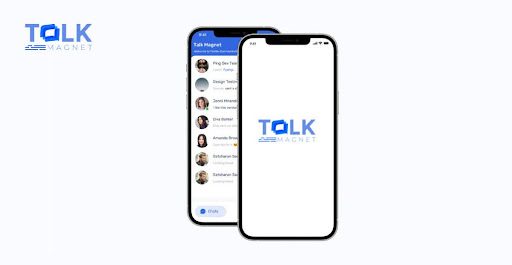
Talk Magnet is a secure instant messaging tool that simplifies team-wide communication for remote or hybrid businesses. It helps boost engagement and equip your teams for future workplace communication.
It is an all-in-one productivity platform that blends seamlessly with existing technology. With Talk Magnet, your team can chat the way they would in person—on any device.
It’s not complicated or confusing; there is no steep learning curve; it just feels like chatting with a friend.
Talk Magnet fosters workplace bonds by improving coworkers’ communication and making work fun. This increases productivity and work satisfaction.
With its instant messaging system, Talk Magnet can improve employees’ engagement and knowledge sharing.
It has a great filtering feature for searching out messages and fast retrieval abilities that let users quickly find what they need.
Also, Talk Magnet will not delete your old conversations, as Skype does.
Compared to other communication tools, Talk Magnet is lightweight yet uptime. The low app size makes it fast and pleasant to use without crashing or freezing your device—which makes it ideal for businesses of all sizes.
Features
Here’s why Talk Magnet is better than Skype:
- 1:1 and group audio & video calls
- File sharing
- Dedicated support
- User-friendly
- Integrations
- Unlimited Message History
- Cloud or on-premise
- Communication analytics
- Security
- Scalability
- 100% uptime
Skype – is it still the go-to video conferencing platform?
Skype has been the go-to video conferencing platform for years.
It provides HD video and audio, call recording features, and many other features, making it an excellent communication platform. It’s also straightforward to use—you don’t need any special training to get started.
With Skype, you can do everything from face-to-face meetings and in-video chatting to sharing documents and emojis from your computer or smartphone.
Its real-time translating feature lets you participate in online conversations without disturbing those around you. Cortana can automatically suggest smart replies or provide helpful information in Skype chats.
However, Zoom has dethroned Skype from its position in recent years. Zoom has HD video and audio, call recording features, and even a built-in screen-sharing tool that is better than Skype.
You can even conduct virtual presentations with Zoom, like in a physical conference room. It also has an intuitive interface that’s easy to use without being complicated. And best of all? It’s free!
Microsoft is phasing out Skype for Business in favour of Microsoft Teams, a platform that offers many more features than Skype and better suits most business needs.
But one feature that Skype still reigns supreme is the ability to call landlines and cell numbers internationally for cheap. You can use it to reach customer service that has no local number.
Features
Discover Skype’s features here:
- HD video and audio calling
- Voice recording
- Live subtitles
- End-to-end encryption
- Instant messaging
- In-video chatting
- Smart messaging
- Private conversations
- Voice mail
- Screen sharing
- File sharing
- Background effects
- Raise hand
Is Skype still relevant?
Skype may not be the solution for video conferencing that you are looking for. It’s no secret that its design and interface have flaws.
Microsoft abandoned its Skype division after introducing Teams and integrating video calls into Teams in 2016.
With the rise of Microsoft Teams, Skype’s business version has become redundant, and Microsoft has decided to effectively end the division of Skype for businesses online in 2021.
Skype was the go-to video conferencing platform for years, but it has taken a hit in the last few years. But now, Teams are the next big thing in video conferencing, and they have nearly pushed Skype to extinction.
There are many reasons why Skype is no longer viable. These issues include the following:
- The design and interface flaws that have crept into Skype over the years.
- Troubleshooting issues with Skype call quality.
- There is a lack of an easy way to save your chats.
- The inability to share screens among multiple people in different locations (at least not without paying an extra fee)
- Poor performance and lagging.
Skype also has issues with call quality in some cases. You might hear crackling or buzzing sounds during conversations with other users on Skype.
This is incredibly frustrating if you’re trying to conduct an important meeting or conference call involving many people from different locations worldwide.
Skype also uses proprietary technology, making it difficult for IT departments to manage and monitor users’ activity on the platform. If your company uses Skype for communication, consider another solution like Talk Magnet instead.
How to get started with Talk Magnet?
Now that you’ve read the comparison between the Talk Magnet and Skype, there’s no reason to debate which is better.
Talk magnet is superior. It’s an intuitive, easy-to-use, all-in-one collaboration and communication platform.
You don’t have to be a tech wizard to use it—we’ve built Talk Magnet so that even beginners can use it immediately.
If you are still unsure whether to use Talk Magnet, try our demo to see firsthand how this all-purpose collaboration tool can help you communicate better with your coworkers.
Contact us today to get started for free. We’re happy to answer any questions you have.


